01
Shillings first, VAT ready
Prices in TZS, a VAT rate you set once (for example 18%) as included or added, and your TIN on every receipt.
BMSTz gives you a simple, organized way to track operations, stay on top of records, and get a clearer view of how your business is performing.
Start organizing your business today with simple monthly plans.
 Enterprise
 Exclusive
Every plan comes with dedicated concurrent device sessions (Starter: 2, Enterprise: 4, Exclusive VIP: 6). Need to switch phones or laptops? Simply sign out or use Log Out Other Devices in Settings.
Exclusive VIP subscribers can activate automated email alerts directly in Settings → Receive Low Stock Email Notifications. Never run out of fast-selling items with automated reorder threshold digests sent straight to your inbox via Resend.
Create your workspace, add your branches and products, and make your first sale today. Your 14-day free trial starts the moment you sign up.
Install the app for fast offline billing, direct receipt printing and push notifications.
Need help installing? See install steps and all downloads
Prefer using your browser or iOS / Mac?
Access BMSTz instantly with zero download required on any modern browser.
Free trial before you choose a plan.
Branches per plan, all under one owner login.
Keep selling when the internet drops.
Encrypted backups, and separate data for every business.
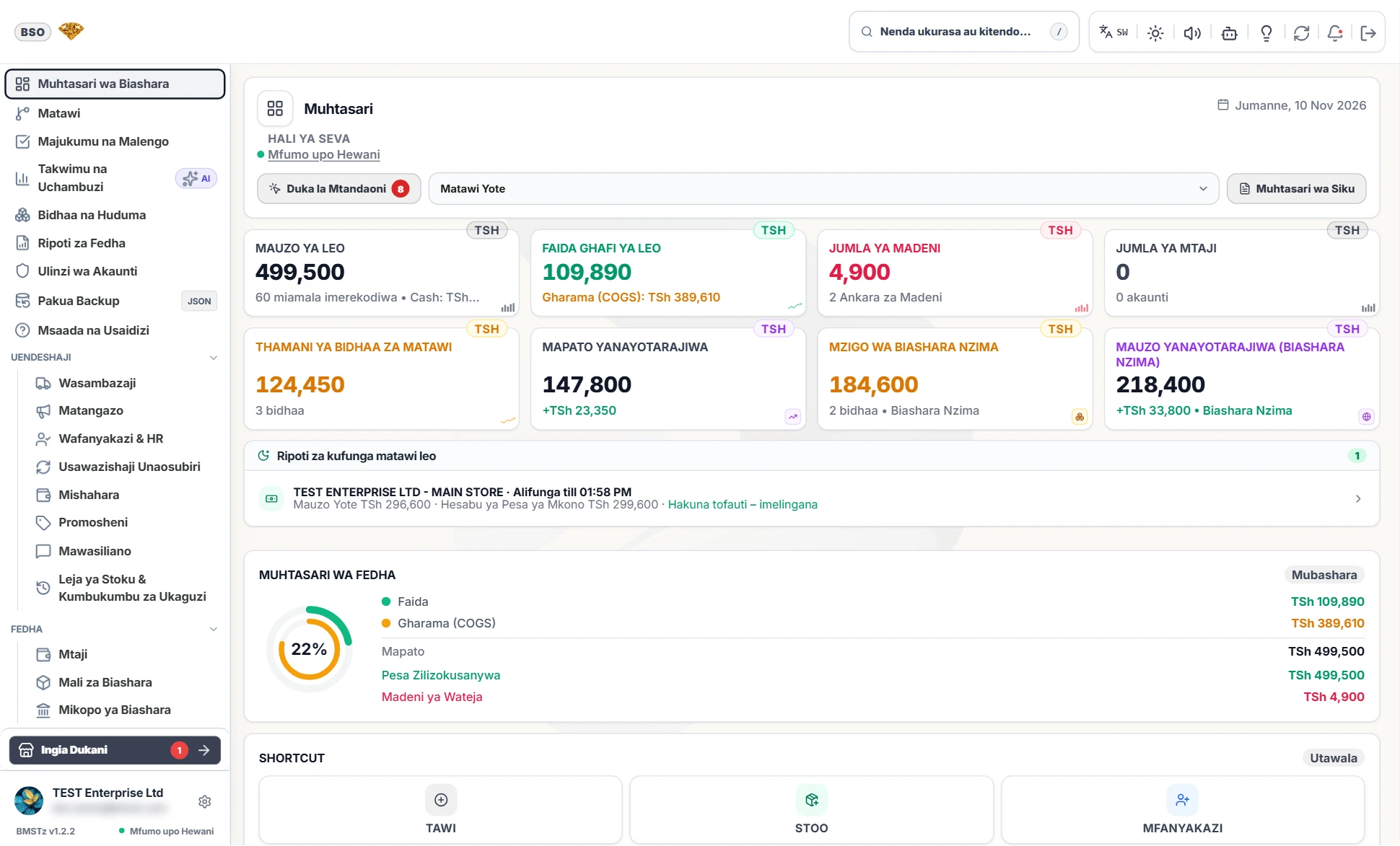
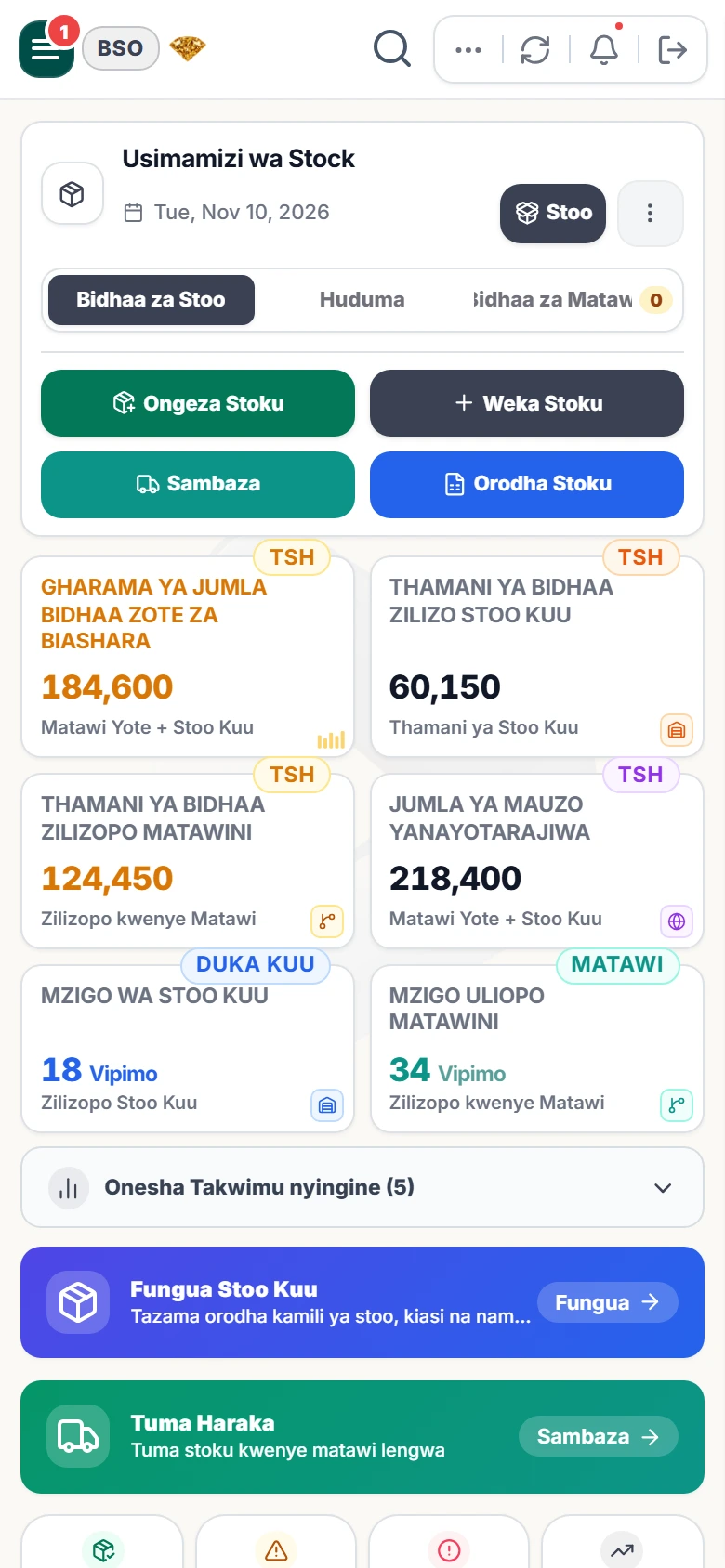
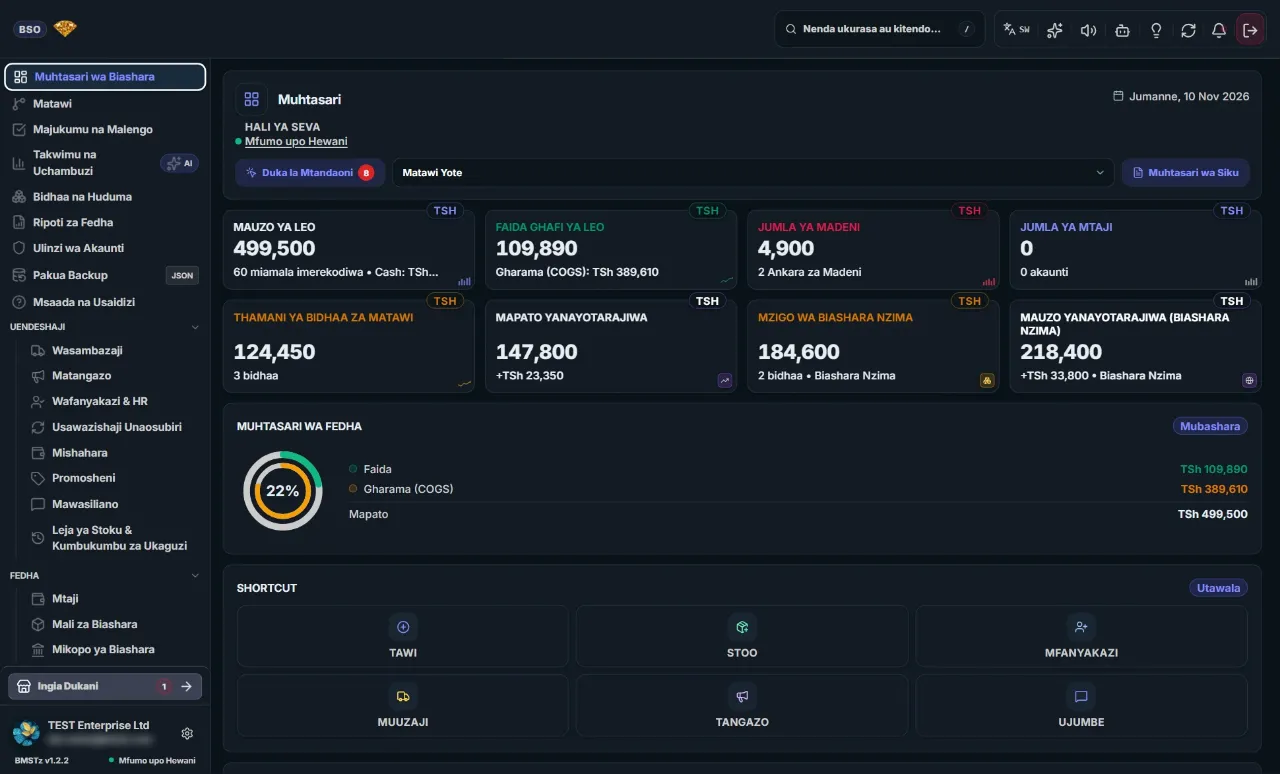
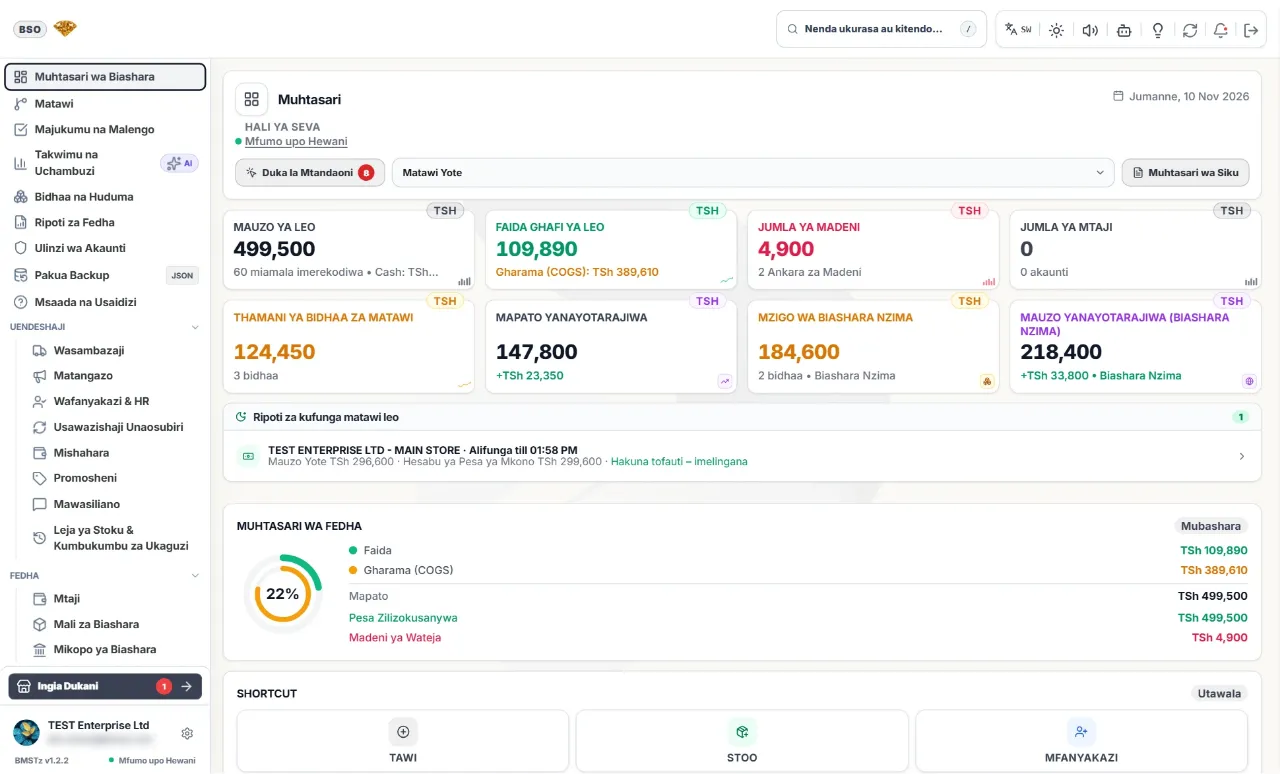
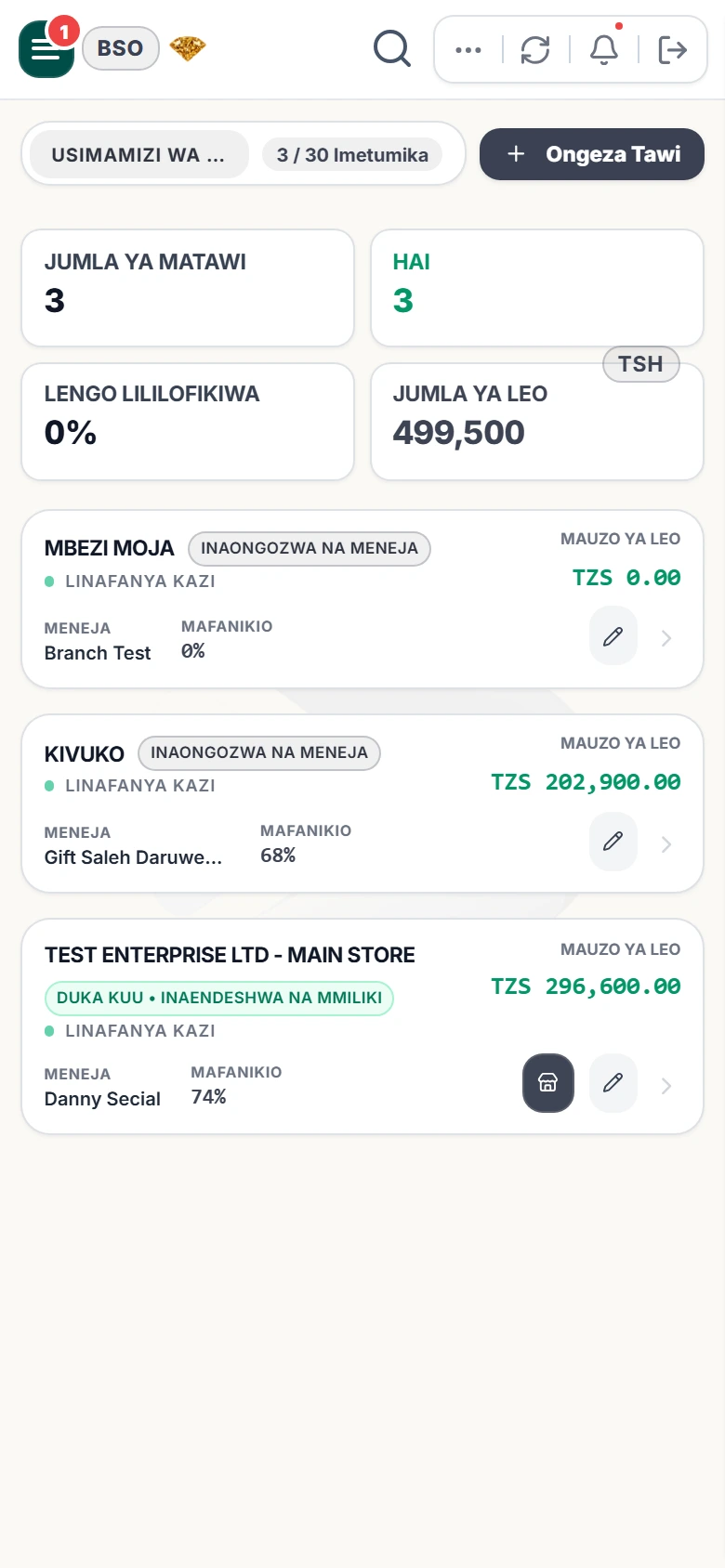
Real screens from inside the product, on desktop and on a phone: the owner’s overview, analytics, stock, reports, branches and the shop till.
Get the app
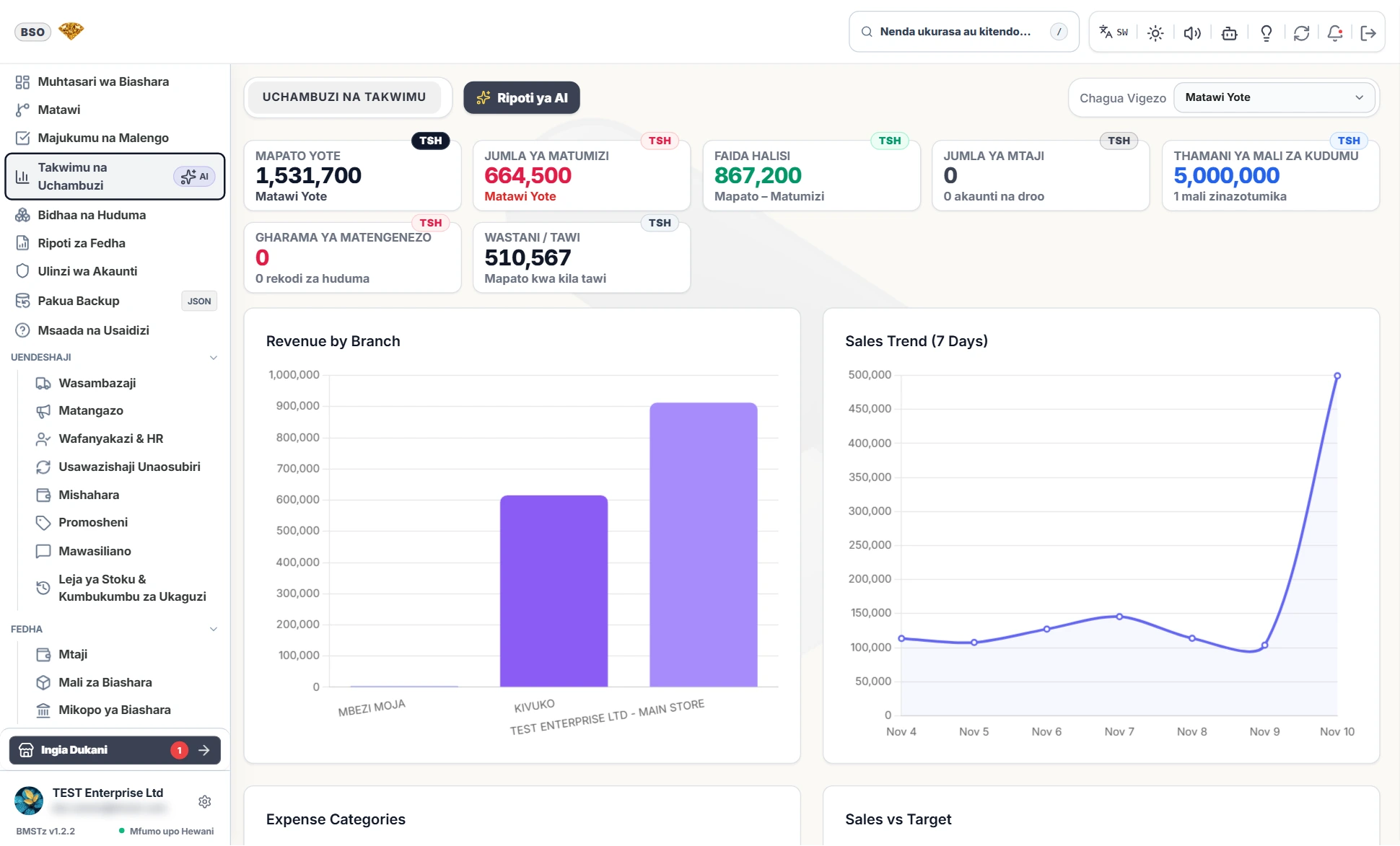
One owner login: today’s sales, profit, stock value and financial overview across every branch.
 View full size
Revenue by branch, a 7-day sales trend, net profit and expense breakdowns, so you can see which shop is carrying the business.
 View full size
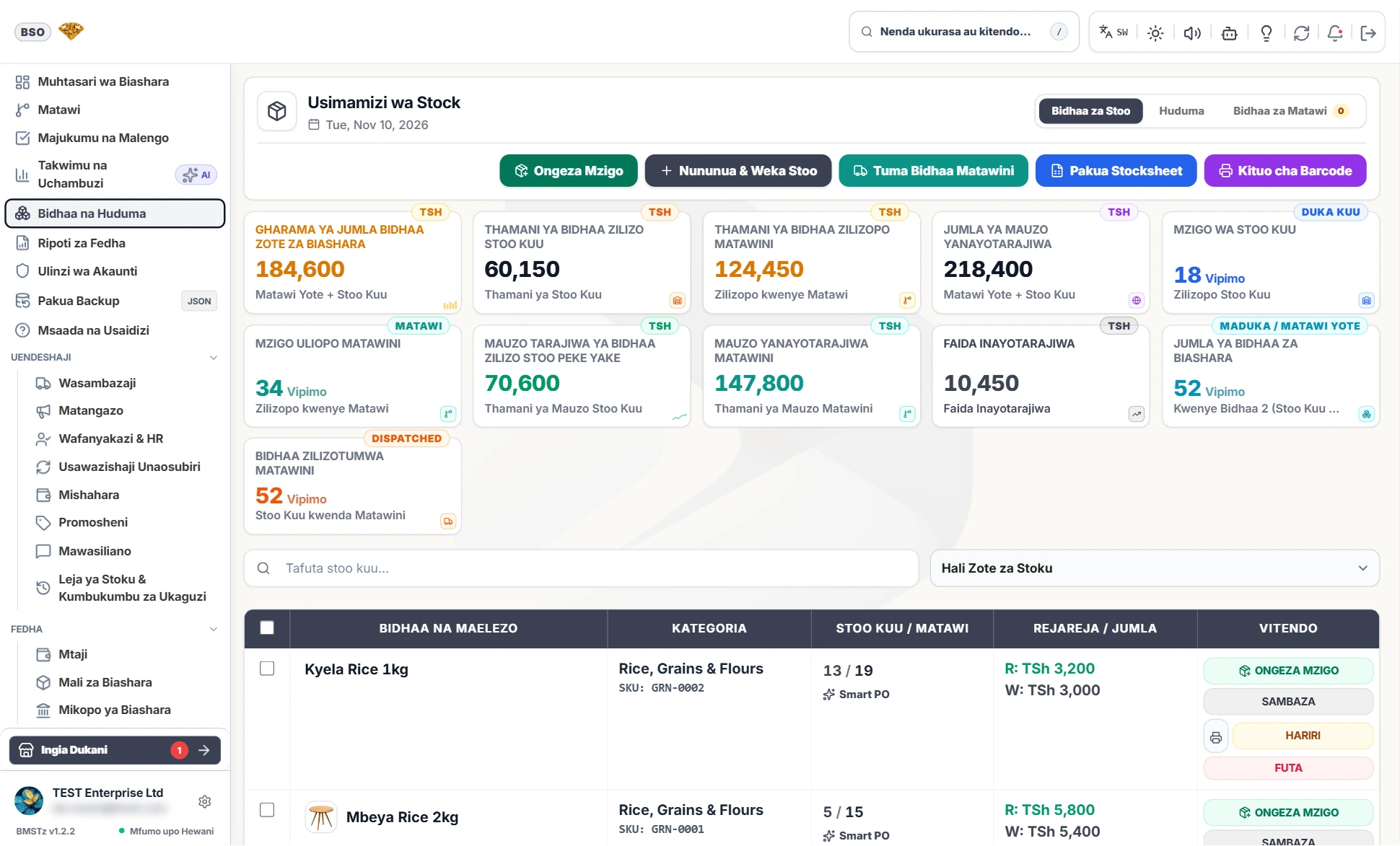
Stock value by warehouse, branch and product, with restock, central dispatch and barcode studio one click away.
 View full size
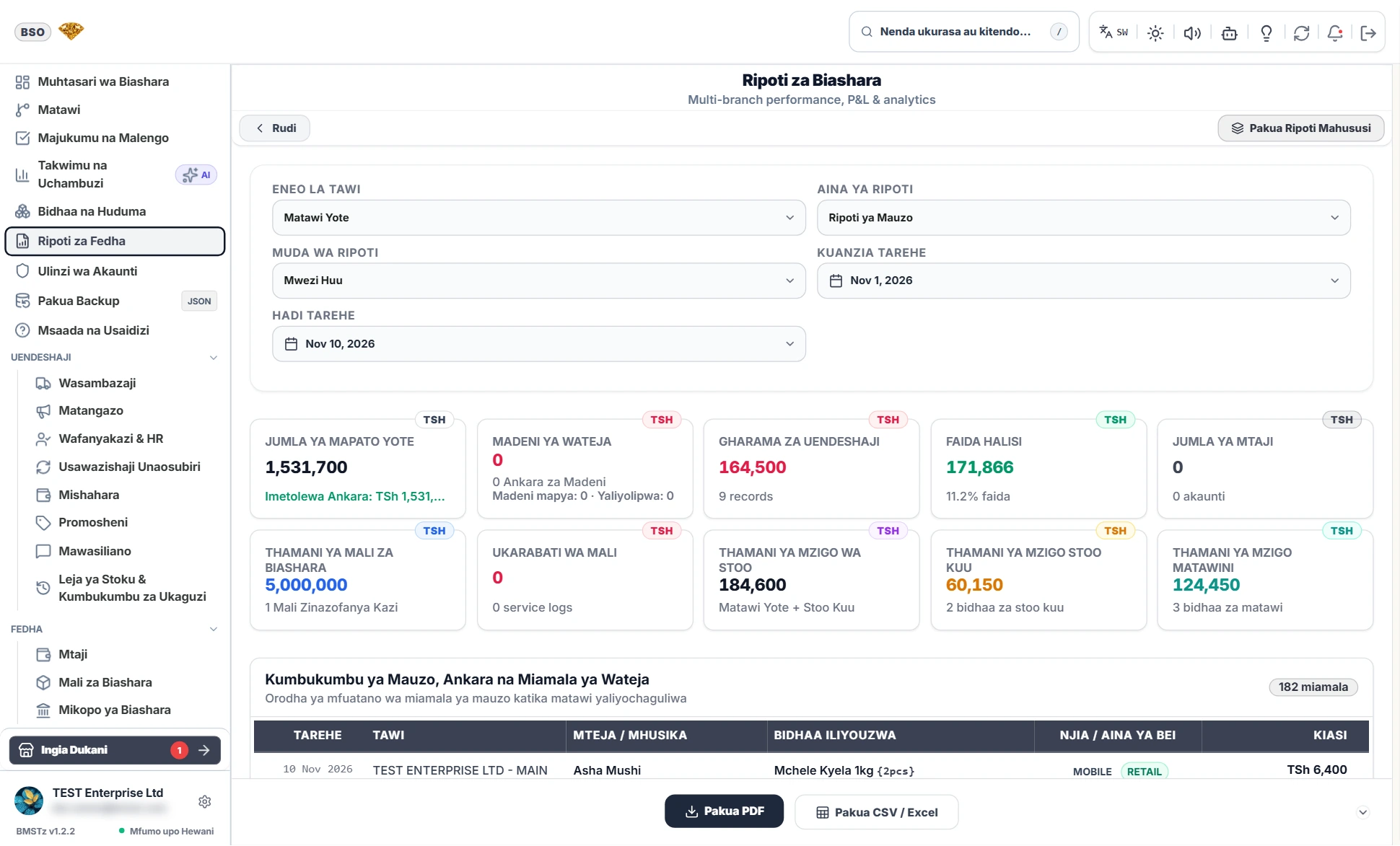
Business reports by branch and period, with sales, credit, expenses and net profit, ready to export as PDF or Excel.
 View full size
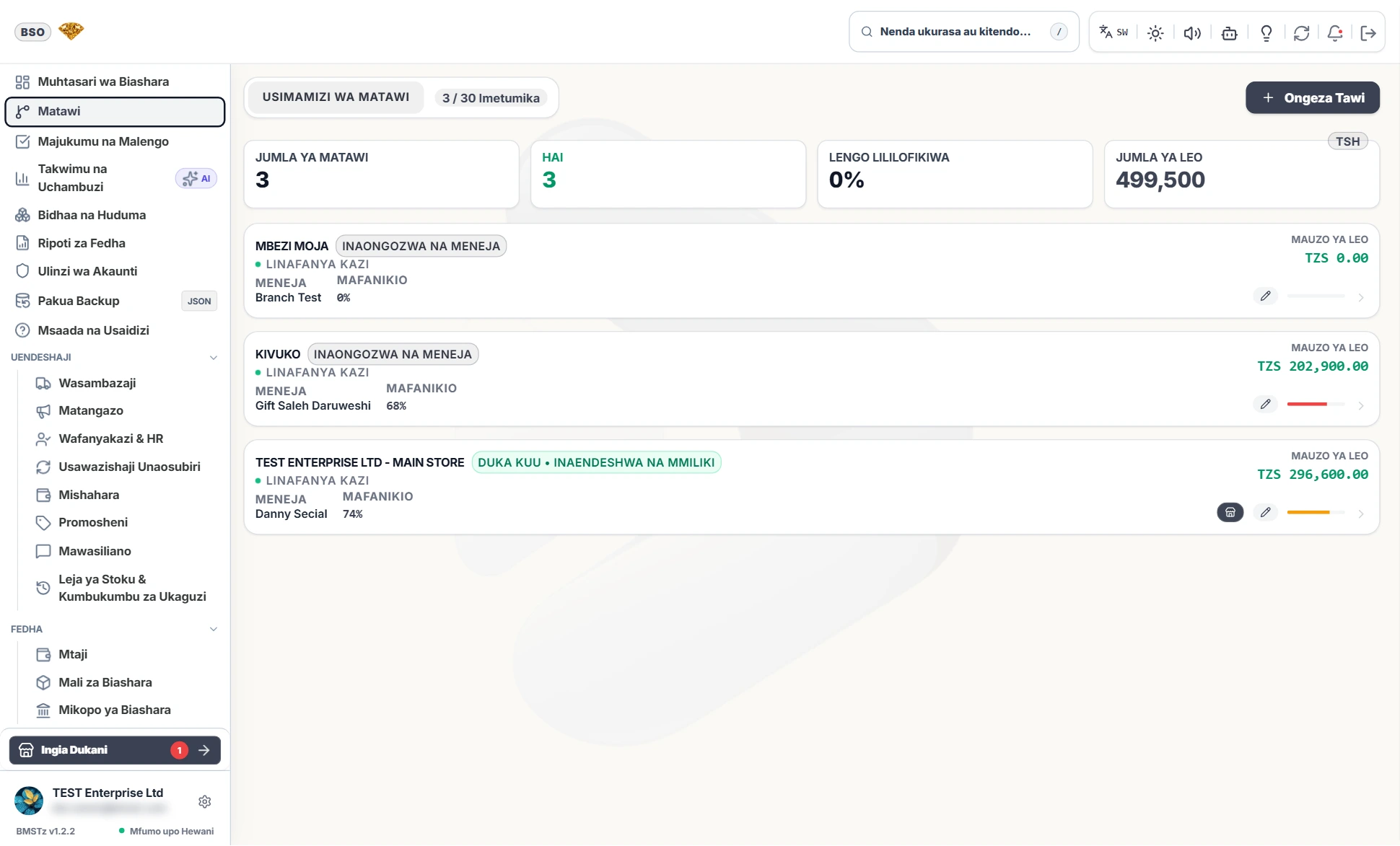
Branch management with usage against your plan, assigned managers and today’s sales per location.
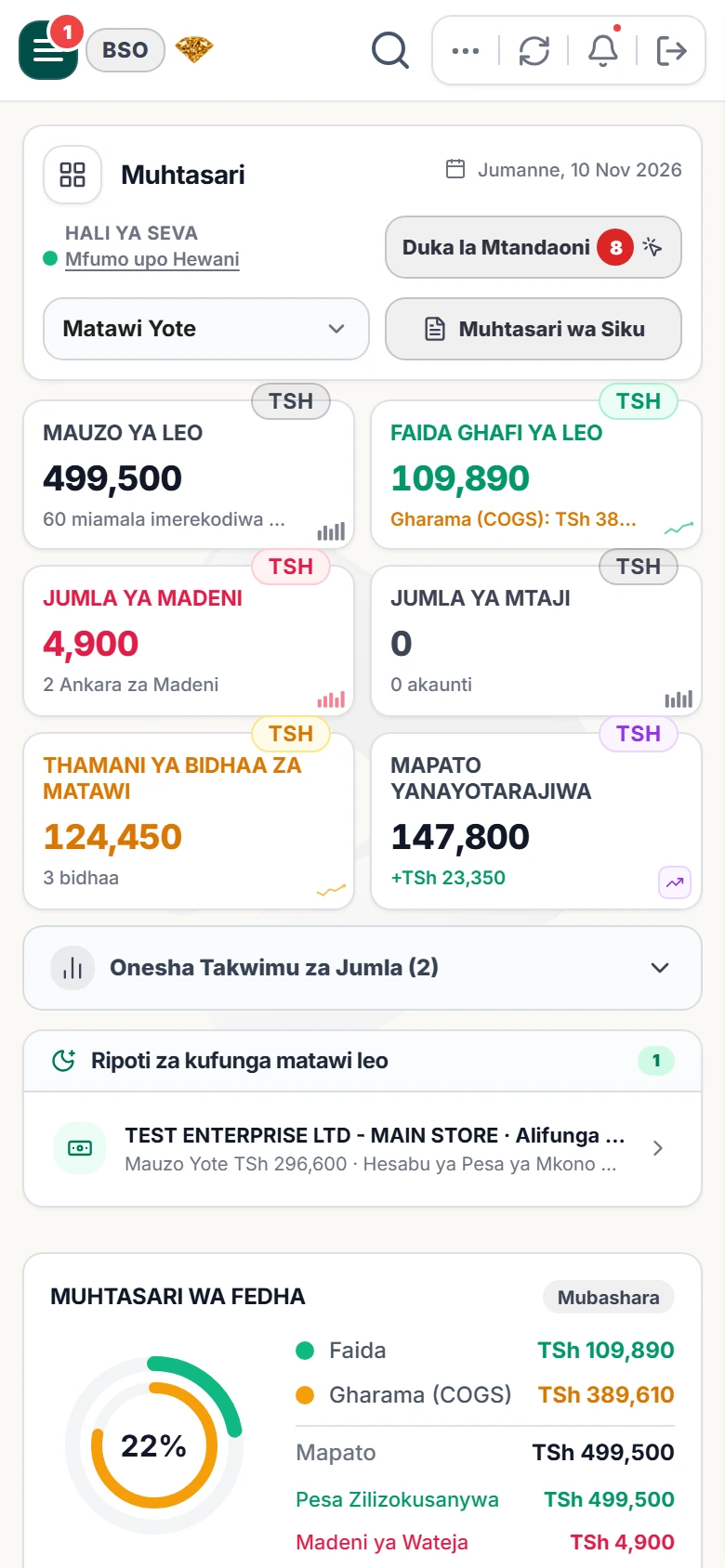
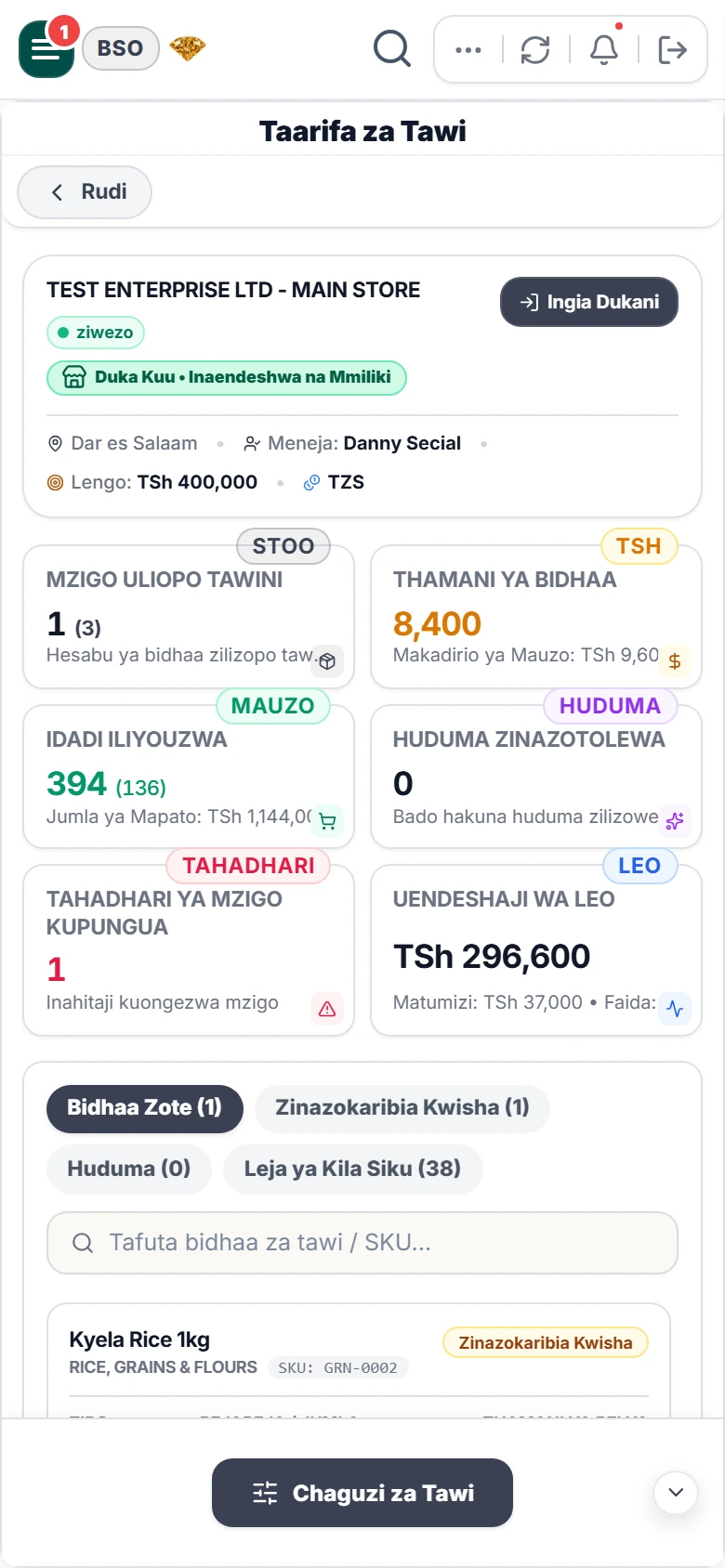
The same account on your phone: sell at the till, check the day’s numbers and keep an eye on every branch from anywhere.
Screenshots from a live BMSTz workspace with sample data.
Powerful tools designed to simplify your day-to-day operations and help you connect with your customers.
Track your sales, expenses, and overall performance instantly. Make informed decisions based on clear, visual data.
Manage multiple locations from a single dashboard. Real-time synchronization keeps everyone on the same page.
Shillings, VAT and mobile money are not add-ons here. They are how the system works from the first receipt.
Prices in TZS, a VAT rate you set once (for example 18%) as included or added, and your TIN on every receipt.
Take payment by cash, card, mobile money or bank transfer, and see how the money came in on every report.
Sell, search and print offline. Your sales sync automatically when the connection comes back.
58 mm and 80 mm thermal printing over Bluetooth, USB or Wi-Fi, with your logo, TIN and footer message.
Use the maker’s barcode or create your own, print labels, and scan with a USB or Bluetooth scanner or the phone camera.
One owner login shows every branch, while each manager sees only their own shop, stock and cash.
Whether you're overseeing the entire operation or managing a single shop, BMSTz gives you exactly the tools you need.
Take complete control over your empire. One business owner account can create and manage unlimited shops/branches across the country.
Run your specific location with precision. Each branch has its own secure dashboard focusing only on their daily operations.
No installation team, no consultants. Many shops make their first sale the same day.
Register with your email, then set your currency, VAT and receipt details.
Create each branch with its own manager login, then add your products with prices and reorder levels.
Make your first sale, print the receipt, close the shift and watch the owner dashboard fill in live.
Sales records, stock counts and customer ledgers are the most sensitive things a shop owns. BMSTz keeps them separate for each business, protects your backups, and lets you take a full copy whenever you want.
Straight answers on offline selling, devices, VAT, printers and your data.
Designed for multi-tenant scalability, real-time operational control, data privacy, and executive clarity.
Instant live synchronization broadcasts sales, transfers, and tasks seamlessly across all branch and owner dashboards.
Strict database isolation protects tenant data with enterprise encryption, ensuring branches only access authorized records.
Automated Profit & Loss analysis, expense breakdowns, custom report builders, and dual export options via CSV and PDF.
Owner Shop Mode for direct POS register checkout, multi-branch staff roles, shift attendance, stock transfers, and flexible plans.